
Using the Marcrobledo AC:NL save editor is not only a powerful save editor but it also super useful for editing your town’s acres for aesthetical purposes, but what if you don’t have access to a computer on the go and want to edit a town acre ASAP?
The Vapecord AC:NL plugin is the solution for those who want to play on the go and want to be able to edit their town in depth. This plugin is super useful for quick and easy access to editing save data for those who don’t have access to a computer alongside other cool stuff such as present trees, custom player trails whilst walking, etc.

What You’ll Need
Firstly, the Vapecord plugin is only obtainable from having a modded 3DS running CFW so if your system is not modded then you’ll unfortunately not be able to run the Vapecord plugin to edit your AC:NL save data. I highly recommend modding your 3DS if you haven’t already, especially due to the Nintendo servers being turned offline since April 2024. Having a modded 3DS not only lets you mod your games but will allow you get back online and playing with other players around the globe including Animal Crossing: New Leaf by Pretendo support once the fan servers are up and running.
You can install Vapecord via the universal updater app on your console or via it’s official GitHub page, do whichever is easier for you!

Create an Emergency Back-Up!
It is essential that before you do anything that requires editing your save data using any save editor that you make an emergency back-up. This is a safety precaution in case absolutely anything does wrong that can corrupt your save data or even worse by making AC:NL unloadable causing a dead cartridge, because yes that can happen.
I’m a very experienced AC:NL modder as I use the Marcrobledo save editor and Vapecord pretty much almost everyday and even I experience corruption a lot. I’ve even had corruption so bad that the game has refused to boot up but was able to revive the cartridge and the save data by using a back-up. Obviously if you do anything that tweaks your save data you must always accept that things can go wrong, it’s just a risk that is always there when modding/hacking.
You can create a back-up of your save data using Checkpoint which comes with CFW when modding your Nintendo 3ds. JKSM is also another great way of dumping save data to create back-ups. If you can, I recommend also putting your back-up onto a computer if you have access to one in case your SD card dies or what not.
Acre Warnings
Please make sure to not place down incorrect acre layouts in your town whilst editing your town’s acres. Putting down incorrect acre layouts is dangerous and CAN corrupt your save data. A general rule of thumb is make sure that all of the acres connect seamlessly, all of the rivers are flowing the correct way, etc.
How to Edit Your Town’s Acres Using Vapecord
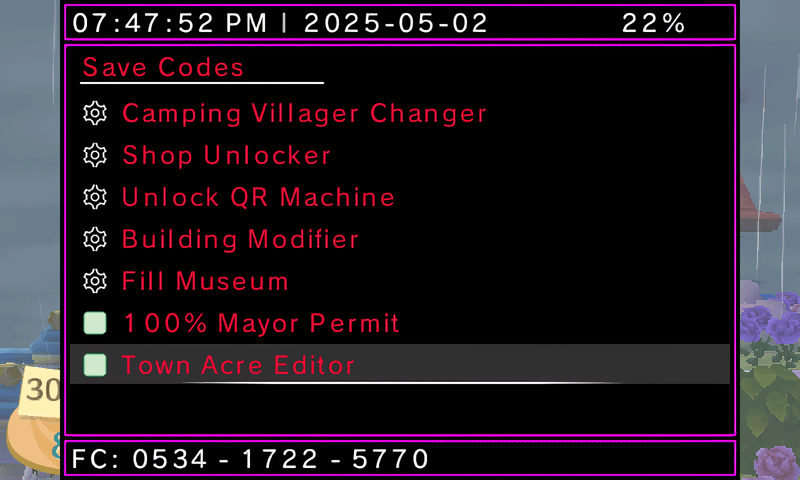
To start, boot up the Vapecord plugin using the SELECT button and navigate to “Save Codes”, it’s usually the top most folder.

Then scroll down to the bottom and locate “Town Acre Editor”. Press the A button to enable this.
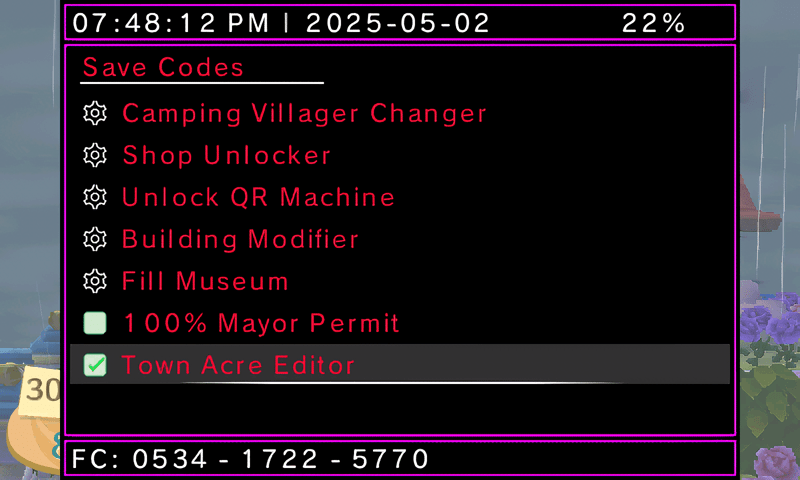
Then exit out of the Vapecord plugin menu. You’ll see the town acre editor on your bottom screen.

On the Vapecord plugin you’ll be only able to edit the 20 acres inside of your town, if you wish to edit the campsite location, etc you will need to use a more powerful save editor tool such as Marcrobledo.
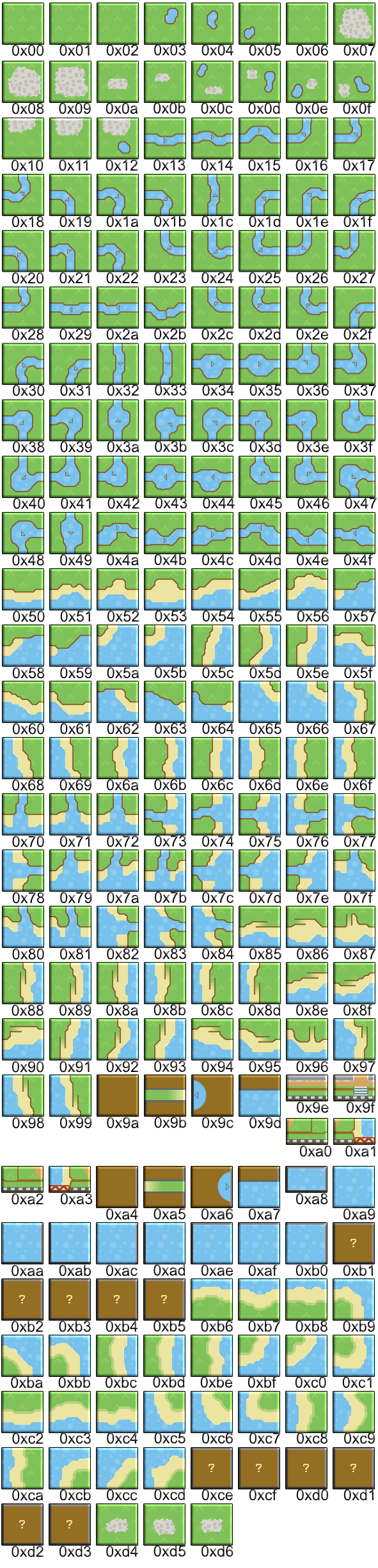
All of the numbers you see in each respective acre is the acre ID number. Animal Crossing: New Leaf uses ID numbers for pretty much everything in it’s code so whilst using the Vapecord Plugin you’ll need to find out the ID number you want to replace.
For example, 12 is the ID number of my train station acre; I want to replace the acre to make the cobblestone into just grass so that the area has no cobblestone at all. To do this you’re going to need to find out the acre ID number. You can find out the acre number IDs from this website here.
Once you’ve found the ID number of the acre you want you tap on the acre you want to modify.


By default the ID will always be set to “0”. You erase this and input the ID number you want.
For this example I want to replace the train station’s acre into an acre that’s just grass so I’m going to type in “06”. Vapecord will show you a preview of the acre and ask if that’s the correct acre you want.

Press either the A button to confirm or the B button to cancel.
Once you’ve confirmed the acre you want save and quit. This will reload your town into the new acres you’ve just edited. You don’t need to time travel a day forward or anything, just save and quit.
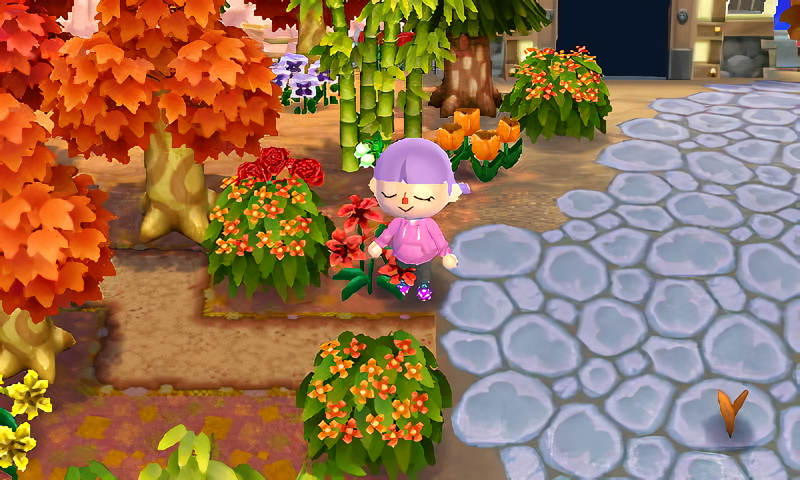
As you can see I’ve used Vapecord to edit my acres in my autumn town Chestnut. The train station’s acre was edited into the town plaza ID and it works perfectly!